 JiaoTianBo
c4509b42fa
JiaoTianBo
c4509b42fa
- 新增项目初始化任务相关类型定义及接口封装,包括任务列表、任务统计和单个任务状态查询
- 集成 Element Plus 通知组件,增加任务完成和失败时的用户通知提醒
- 在 SSE 状态管理版块添加任务列表状态管理,支持任务状态的动态获取和展示
- 在创建项目向导组件中集成任务列表展示,支持查看任务进度、完成结果及错误信息
- 增加“使用此结果”按钮,允许用户直接应用已完成任务的项目初始化结果
- 对任务列表样式进行设计,区分不同状态的任务视觉效果提升用户体验
- 打开项目创建对话框时自动刷新并加载最新的任务列表数据
vue-pure-admin


English | 中文
Introduction
vue-pure-admin is an open source, free and out-of-the-box middle and backend management system template. Completely adopts ECMAScript module (ESM) specifications to write and organize code, using the latest Vue3, Vite, Element-Plus, TypeScript, Pinia, Tailwindcss and other mainstream technologies develop
R&D philosophy
Seek innovation in stability and see the future in technology
Thin version (offering non-internationalized and internationalized versions)
The simplified version is based on the shelf extracted from vue-pure-admin, which contains main functions and is more suitable for actual project development. The packaged size is introduced globally element-plus is still below 2.3MB, and the full version of the code will be permanently synchronized. After enabling brotli compression and cdn to replace the local library mode, the package size is less than 350kb
Click to view the non-internationalized version
Click to view Internationalization version
Supporting video
Click me to view UI design
Click me to view the rapid development tutorial
Nanny-level documents
Click me to view vue-pure-admin documentation
Click me to view @pureadmin/utils documentation
Premium service
Tauri
Electron
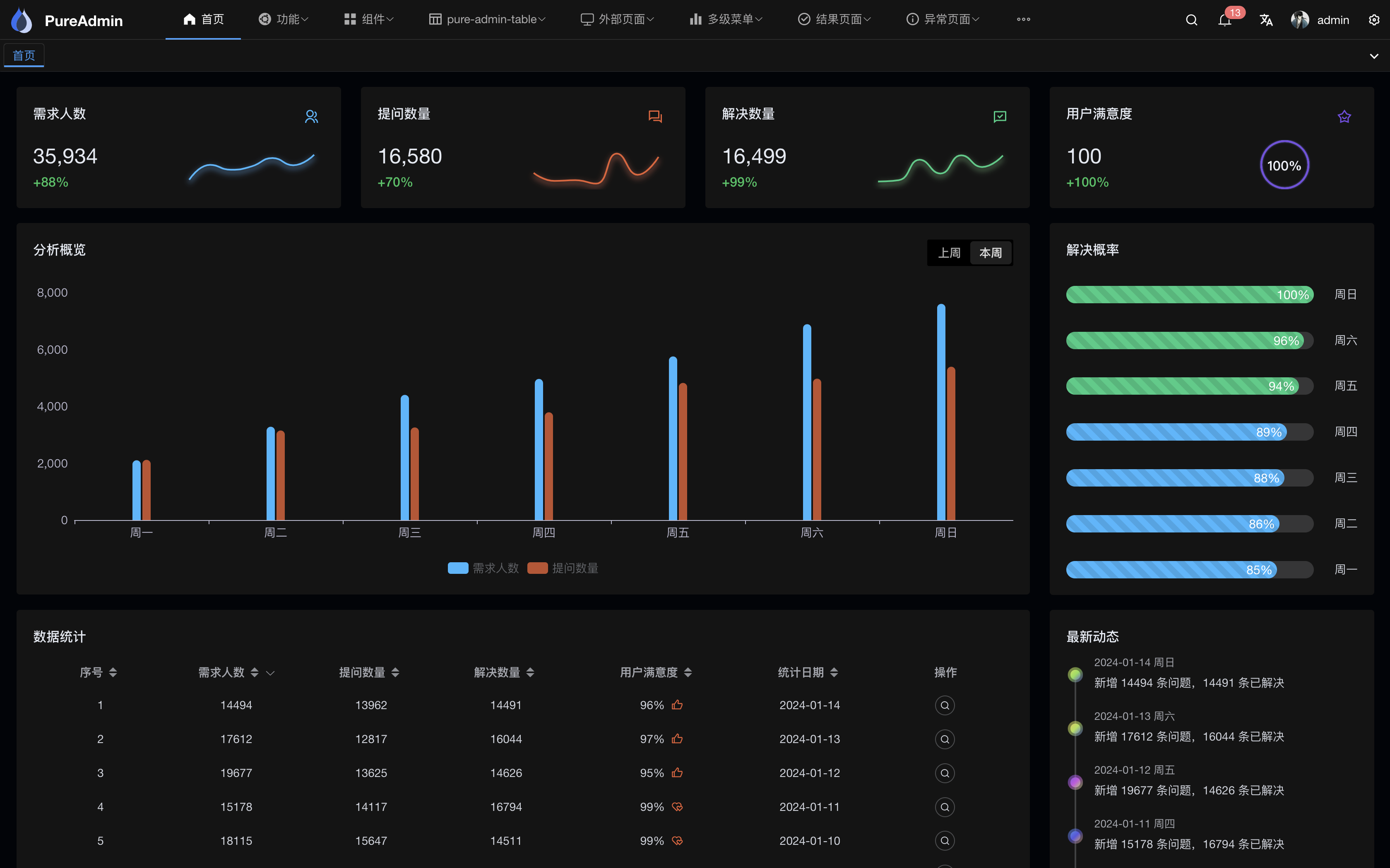
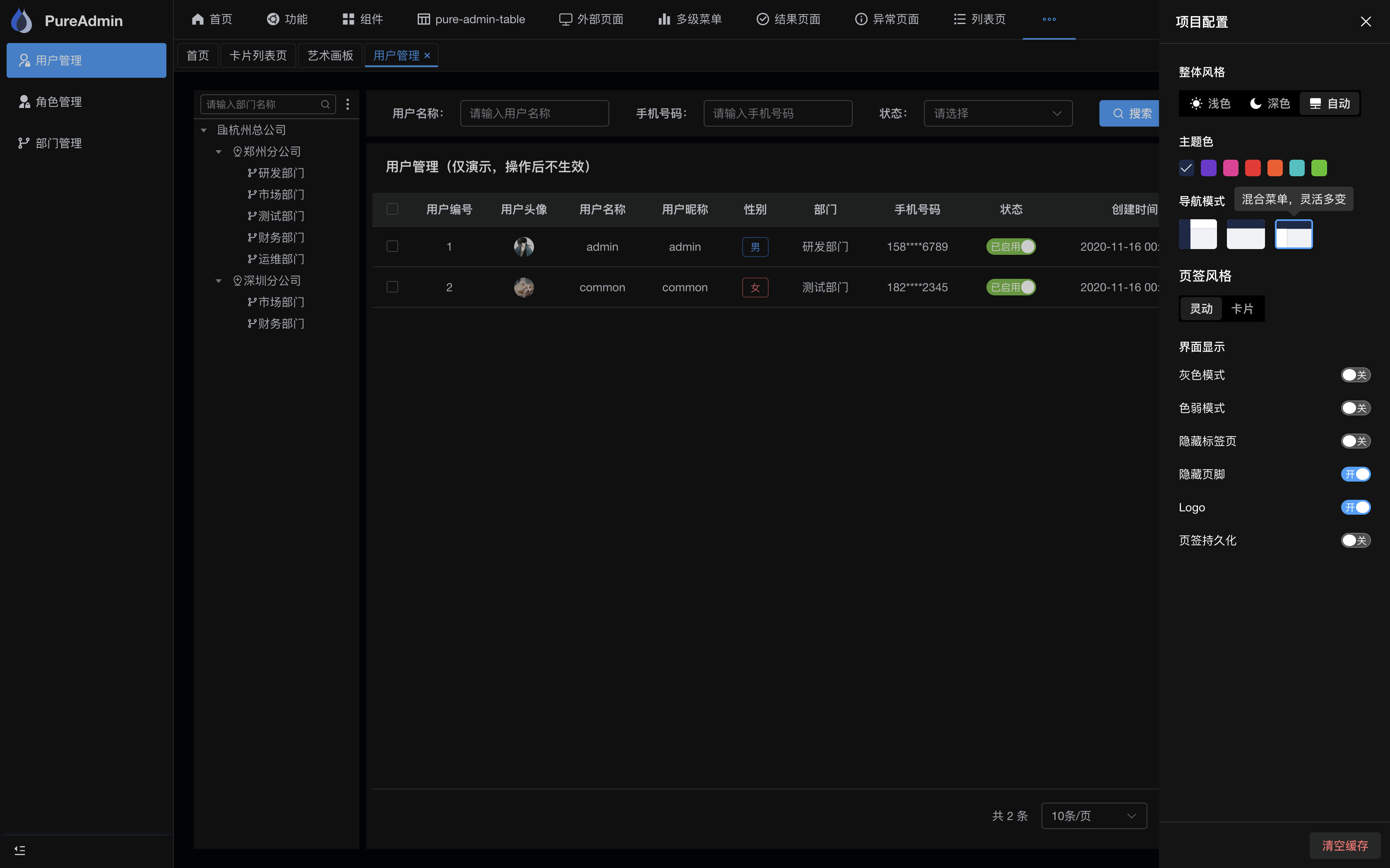
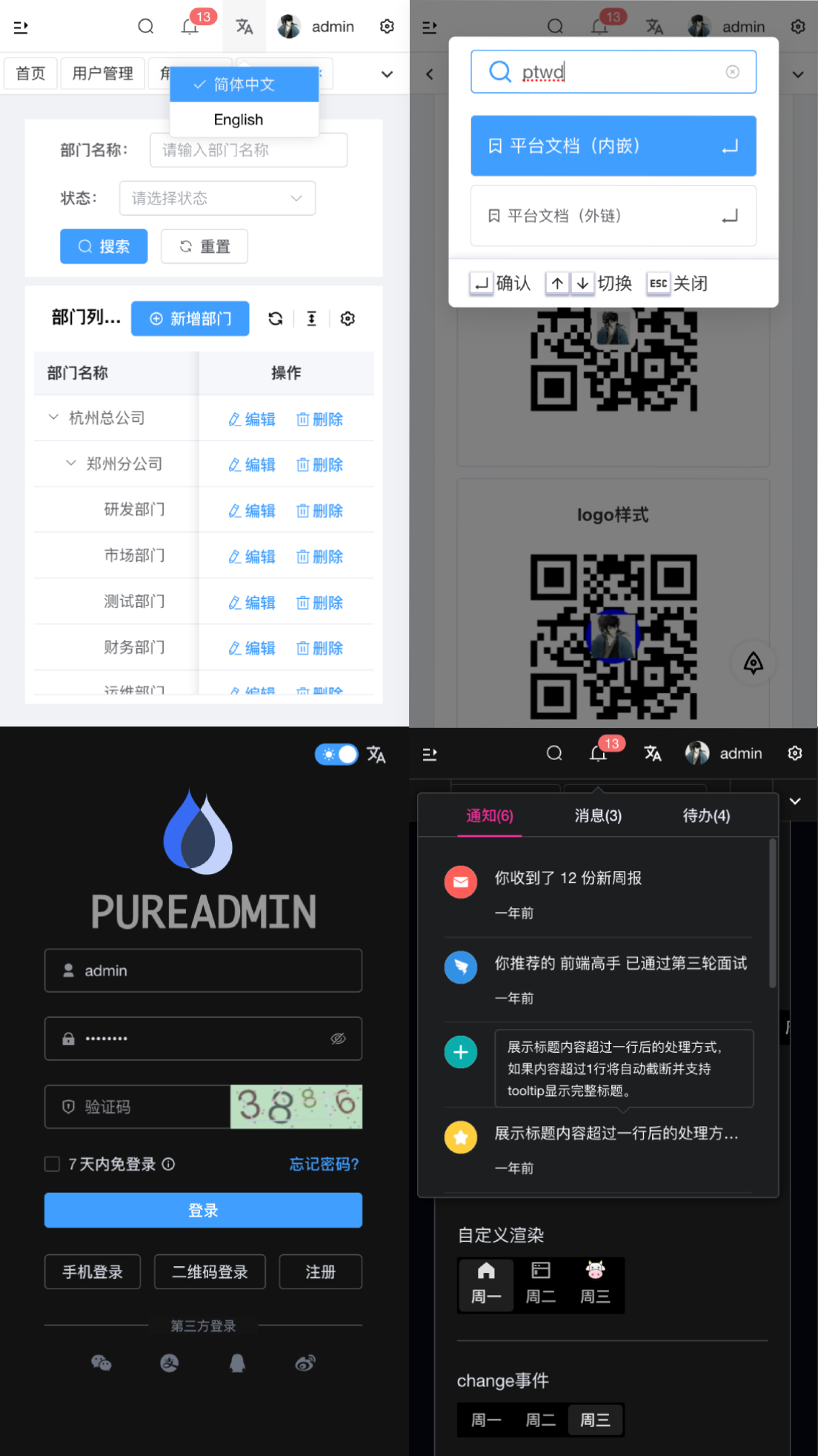
Preview
PC
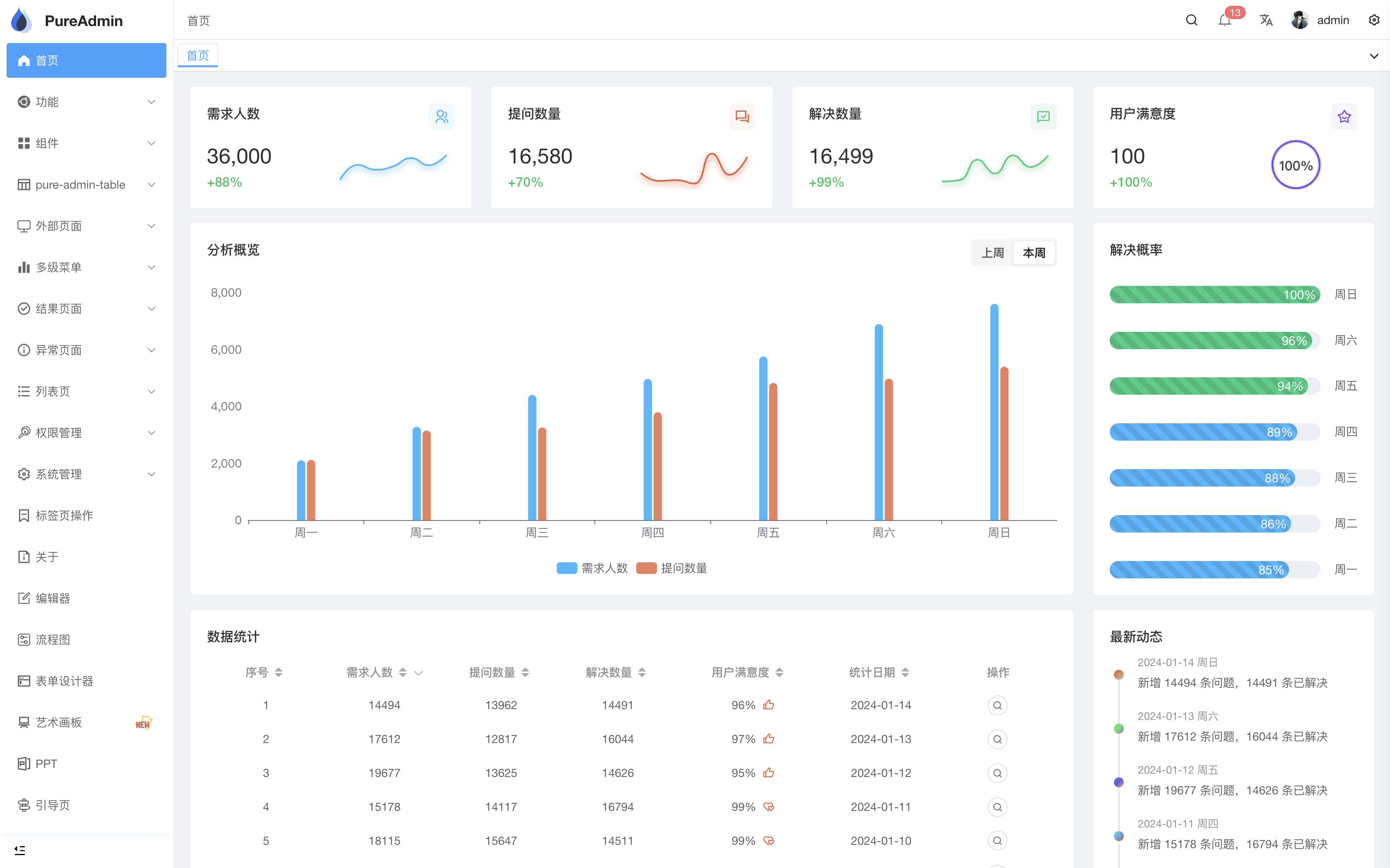
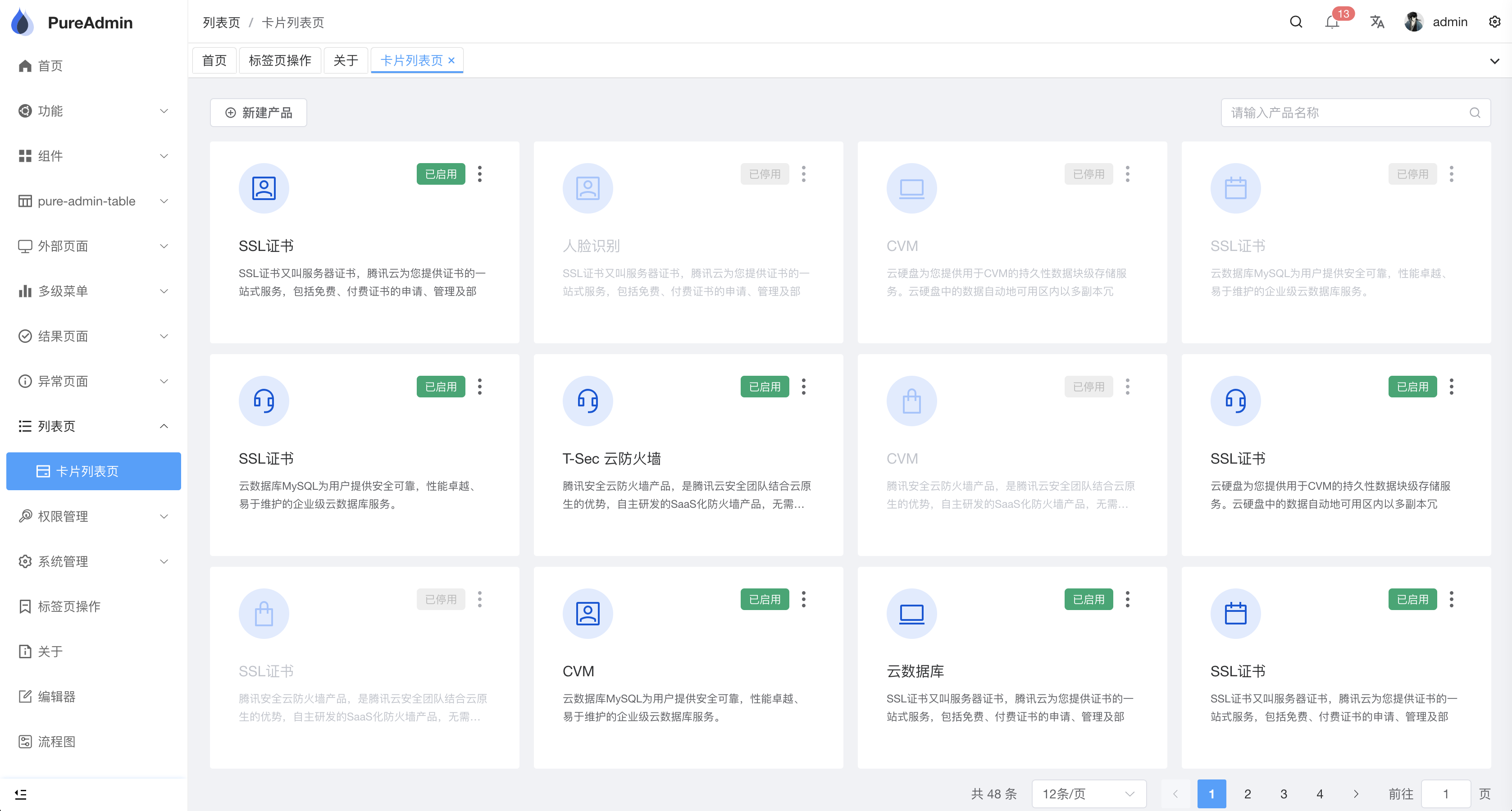
DarkMode
Mobile
Use Gitpod
Open the project in Gitpod (free online dev environment for GitHub) and start coding immediately.

Install And Use
Pull code
It is recommended to use @pureadmin/cli scaffolding
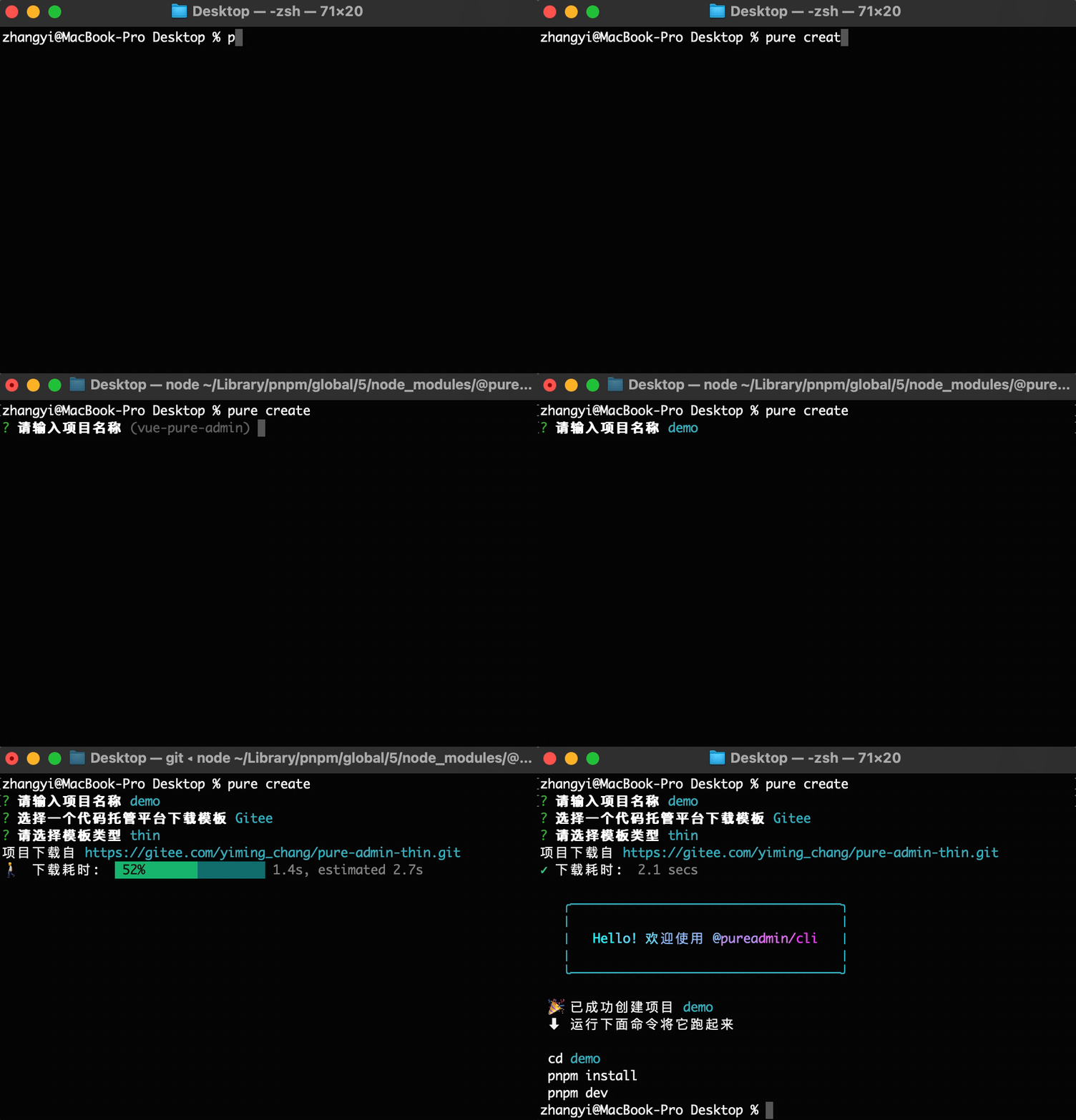
- Global installation
npm install -g @pureadmin/cli
- Interactively select templates and create projects
pure create
Click to view the detailed usage of @pureadmin/cli scaffolding
Pull from GitHub
git clone https://github.com/pure-admin/vue-pure-admin.git
Pulled from Gitee
git clone https://gitee.com/yiming_chang/vue-pure-admin.git
Install dependencies
cd vue-pure-admin

pnpm install
Run platform
pnpm dev
Project packaging
pnpm build
Docker support
- Customize the image named
vue-pure-admin(please note that there is a dot.at the end of the command below, indicating that theDockerfilefile in the current path is used, and the path can be specified according to the actual situation)
docker build -t vue-pure-admin .
- Port mapping and start the
dockercontainer (8080:80: indicates that the80port is used in the container, and the port is forwarded to the8080port of the host;pure-admin: indicates a custom container name;vue-pure-admin: indicates the custom image name)
docker run -dp 8080:80 --name pure-admin vue-pure-admin
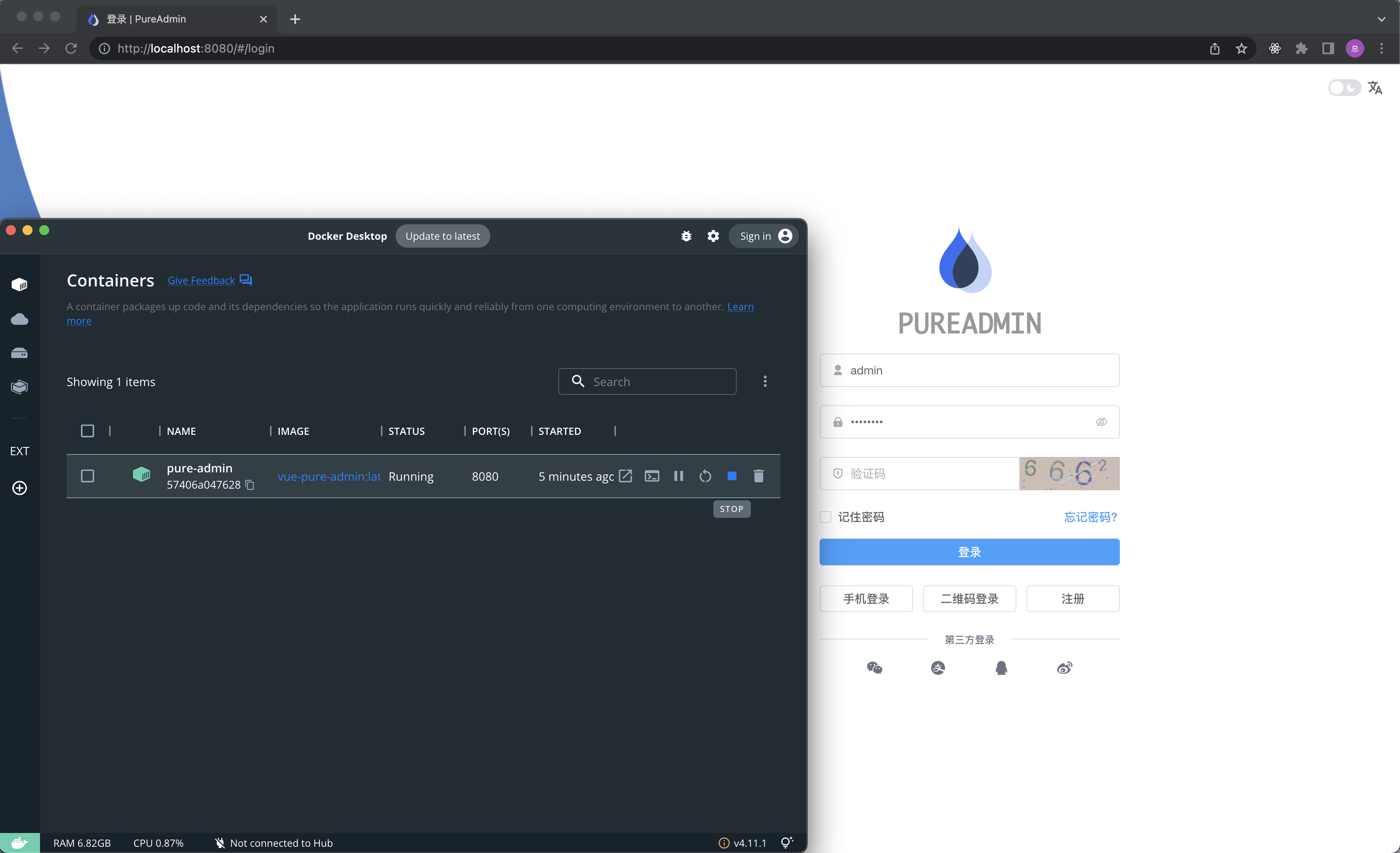
After operating the above two commands, open http://localhost:8080 in the browser to preview
Of course, you can also operate the docker project through the Docker Desktop visual interface, as shown below
Change Log
How to contribute
You are very welcome to join!Raise an issue Or submit a Pull Request
Pull Request:
- Fork code!
- Create your own branch:
git checkout -b feat/xxxx - Submit your changes:
git commit -am 'feat(function): add xxxxx' - Push your branch:
git push origin feat/xxxx - submit
pull request
Special code contributions
Thank you very much for your in-depth understanding of the source code and your outstanding contributions to the pure-admin organization ❤️
| Contributor | SpecificCode |
|---|---|
| hb0730 | code |
| o-cc | code |
| yj-liuzepeng | code |
| skyline523 | code |
| shark-lajiao | code |
| WitMiao | code |
| QFifteen | code |
| edgexie | code |
| way-jm | code |
| simple-hui | code |
| tinysimple | code |
Git Contribution submission specification
reference vue specification (Angular)
featAdd new featuresfixFix the problem/BUGstyleThe code style is related and does not affect the running resultperfOptimization/performance improvementrefactorRefactorrevertUndo edittestTest relateddocsDocumentation/noteschoreDependency update/scaffolding configuration modification etc.workflowWorkflow improvementsciContinuous integrationtypesType definition file changeswipIn development
Browser support
It is recommended to use Chrome, Edge, and Firefox browsers for local development. The author commonly uses the latest version of Chrome browser.
In actual use, I feel that Firefox is smoother in animation than other browsers, but the author is used to using Chrome. It depends on personal preference.
For more detailed browser compatibility support, please see Which browsers does Vue support? and Vite browser compatibility
 IE |
Edge |
 Firefox |
 Chrome |
 Safari |
|---|---|---|---|---|
| not support | last 2 versions | last 2 versions | last 2 versions | last 2 versions |
Maintainer
License
Completely free and open source
MIT © 2020-present, pure-admin
Star
Many thanks to the kind individuals who leave a star. Your support is much appreciated ❤️
Fork
It's so cool that you study hard ❤️